How to Survive the Peace Walker Torture Sequence in Master Collection Vol. 2
Struggling with Dr. Strangelove's electric shocks? Learn effective button-mashing techniques and strategies to beat the grueling Peace Walker torture scene.
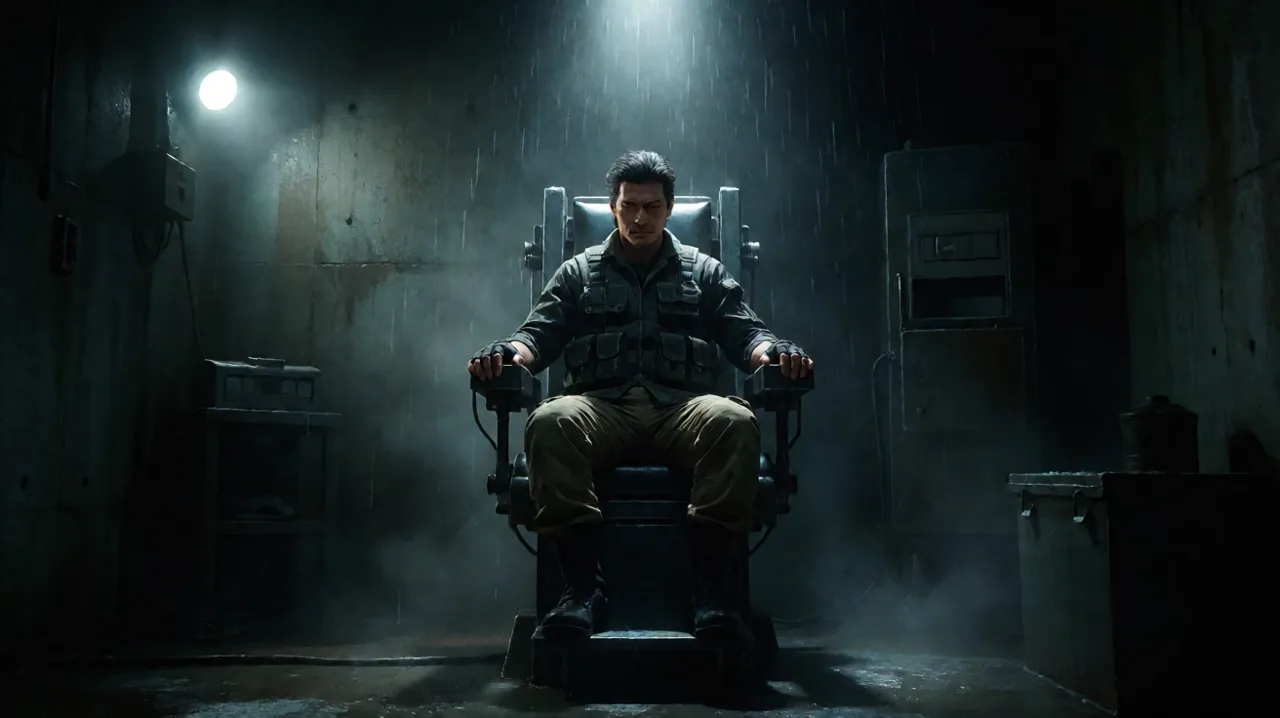
The release of Metal Gear Solid: Master Collection Vol. 2 has brought some of the most ambitious titles in the franchise to modern hardware. While veterans and newcomers alike are eagerly diving back into the robust base-building mechanics and tactical espionage action, one notorious roadblock is already claiming victims across PlayStation 5, Xbox Series X|S, and Nintendo Switch.
As reported by older fans returning to the series within the community, the infamous torture sequence in Metal Gear Solid: Peace Walker remains an absolute wall for many players. If you find your thumb cramping and your patience wearing thin under Dr. Strangelove’s relentless interrogation, you are not alone. The button-mashing mechanics of the 2010 era can feel exceptionally punishing on modern controllers, leaving many searching for a way out.
This article outlines everything you need to know about navigating this grueling chapter, practical techniques to save your hands, and what to expect from the modernized port regarding accessibility.
The Legacy of the Interrogation Room
To understand why this specific moment is causing such a stir among players of the new collection, it helps to look at the franchise’s history. Hideo Kojima has long used the mechanic of extreme button mashing during torture sequences as a way to bridge the physical gap between the player and the protagonist. When Ocelot tortured Solid Snake in the original game, the burning in your forearm was meant to mirror Snake’s own physical suffering.
Peace Walker continues this grueling tradition, but with a distinct, unforgiving twist. Unlike the original Metal Gear Solid, where you could choose to submit to the torture and receive an alternate ending to the story, Peace Walker offers no such mercy. If your health bar depletes during Strangelove’s electrical shocks, you die. There is no alternate timeline, no way around it through narrative choices, and no co-op partner can jump into your session to save you. You simply get a Game Over screen and must try again.
For those revisiting the game via the peace-walker-beginner-guide, this sudden spike in physical execution can be a jarring shift from the otherwise methodical pacing of Fulton extractions and Outer Ops management.
Why Modern Controllers Make It Harder
The original release of Peace Walker was designed specifically for the PlayStation Portable. The face buttons on the PSP had a relatively short travel distance and a softer membrane, which arguably made rapid, sustained tapping slightly more manageable.
Fast forward to 2026, and players are experiencing this trial on the DualSense, the Xbox Wireless Controller, or the Nintendo Switch Pro Controller. These modern gamepads are built for precision and varied haptic feedback, often featuring face buttons with a deeper travel distance and stronger resistance. When you need to input over a dozen presses per second to keep Big Boss alive, every millimeter of button travel and every ounce of resistance compounds the physical fatigue over multiple rounds.
Community reports have frequently highlighted that the PS5 version, in particular, requires an exhausting amount of effort to maintain the necessary health regeneration rate during the later, longer shock intervals.
Physical Techniques for Button Mashing
If you are determined to beat the sequence legitimately without external hardware, you need to abandon the standard grip. Relying solely on your thumb muscles for a sustained period will almost certainly lead to failure during the final, longest shock. Here are the tried-and-true methods that veterans have used for decades to survive the interrogation room:
The Sliding Fabric Trick
This is perhaps the most reliable method for most players who struggle with raw tapping speed. Take a soft, thin piece of fabric—the hem of a cotton t-shirt or a microfiber cleaning cloth works perfectly—and place it flat over the action button. Instead of pressing the button up and down, rub your thumb (or index finger) rapidly back and forth across the button. The fabric drastically reduces friction, allowing your finger to slide quickly over the curved edge of the button, pressing it down on each pass. This changes the motion from a tiring vertical tap to a much faster horizontal swipe.
The Pen or Spoon Method
If your fingers simply cannot maintain the speed, bring in a household tool. Take a rounded, smooth object, like the convex back of a spoon, the smooth cap of a plastic pen, or even a AA battery. Hold the controller steady on a table or rest it firmly on your lap. Grip the object firmly and rub it rapidly back and forth across the button. Similar to the fabric trick, this leverages larger arm and wrist muscles rather than small hand tendons. Be extremely careful not to scratch the plastic casing of your controller when executing this.
The Tense Forearm Vibrate
This technique requires practice and can be physically taxing, but it yields incredibly high input rates. Rest the controller on your knee. Plant your index and middle fingers solidly on the action button. Instead of moving your fingers, tense the muscles in your entire forearm and bicep until your hand begins to involuntarily vibrate. Direct that vibration straight downward into the button. This is a speedrunner staple, but it can be uncomfortable, so take breaks if you feel any strain.
The Hardware Alternative: Turbo Functions
Sometimes, pride must take a back seat to physical reality. As players have noted in recent community discussions, aging hands, carpal tunnel, and repetitive strain injuries make these sequences genuinely inaccessible.
If physical tricks are not enough, utilizing a controller with a built-in “Turbo” function is the most effective bypass. A turbo controller electronically simulates rapid button presses when you hold a single button down.
- Nintendo Switch: There are numerous affordable, officially licensed third-party controllers for the Switch and Switch 2 that feature dedicated turbo buttons.
- PC (Steam): PC players have the absolute easiest route here. Steam’s built-in controller configuration tools allow you to artificially assign a turbo function to any button on any connected controller. Simply open the Steam overlay, navigate to the controller layout, edit the action button, and toggle the “Hold to Repeat (Turbo)” setting on.
- PlayStation and Xbox: Finding third-party turbo controllers that work natively with PS5 or Xbox Series X|S games can be slightly more challenging due to peripheral licensing restrictions. However, specialized fighting game pads or officially licensed accessible controllers often include these features and can be a lifesaver here.
Expected Accessibility Features
A major point of discussion leading up to the launch of Master Collection Vol. 2 was whether Konami would modernize these specific pain points. In the modern gaming landscape, high-intensity QTEs (Quick Time Events) are almost always accompanied by an accessibility toggle in the options menu, allowing players to change “rapid tap” requirements to a simple “hold.”
At the time of writing, pre-release reports and early community feedback indicate that a built-in accessibility toggle to bypass the mashing is not yet confirmed to be included in the game’s native menus. The sequence seemingly operates exactly as it did in the HD Collection era, preserving the brutal difficulty of the original vision. Fans are vocal about hoping for a post-launch update to address this, as examining vol-1-vs-vol-2 comparisons shows a growing demand for modernized quality-of-life adjustments. We will update this section if Konami patches in an accessibility toggle, but until official word comes down, players should prepare to face the shocks the old-fashioned way.
Surviving the Aftermath
Once you successfully endure Strangelove’s sessions, the ordeal isn’t entirely over. Surviving the shocks dumps you into a prison cell with your health heavily depleted and your combat gear entirely stripped.
To successfully escape without triggering a heavy combat alert:
- Examine the Mirror: Approach the mirror on the wall inside the cell. This will trigger a brief interactive moment revealing a hidden item crucial for your escape.
- Watch the Guard: Pay close attention to the patrol route of the guard pacing outside your cell. You need to time your breakout perfectly for when his back is completely turned to the door.
- CQC is Your Best Friend: Without your silenced tranquilizer pistol, you must rely entirely on close-quarters combat. A quick CQC throw into the cell wall is the fastest and quietest way to neutralize the guard once you manage to open the door. Make sure to hide his body out of the sightlines of other patrols.
Enduring the torture in Peace Walker is a harsh test of endurance, acting as a gateway to the final acts of the game and the true expansion of your Mother Base forces. Whether you use a microfiber cloth, a spoon, or a turbo setting on PC, don’t let this single hurdle stop you from experiencing the rest of what the Master Collection Vol. 2 has to offer. Rest your hands, prepare your tools, and show Dr. Strangelove exactly what Big Boss is made of.