MGS4 PC Troubleshooting and Act 5 Survival Guide: Expected Master Collection Vol. 2 Fixes
Prepare for Metal Gear Solid 4 in Master Collection Vol. 2 with expected PC bug fixes for controller issues, loading freezes, and strategies for the Act 5 difficulty spike.
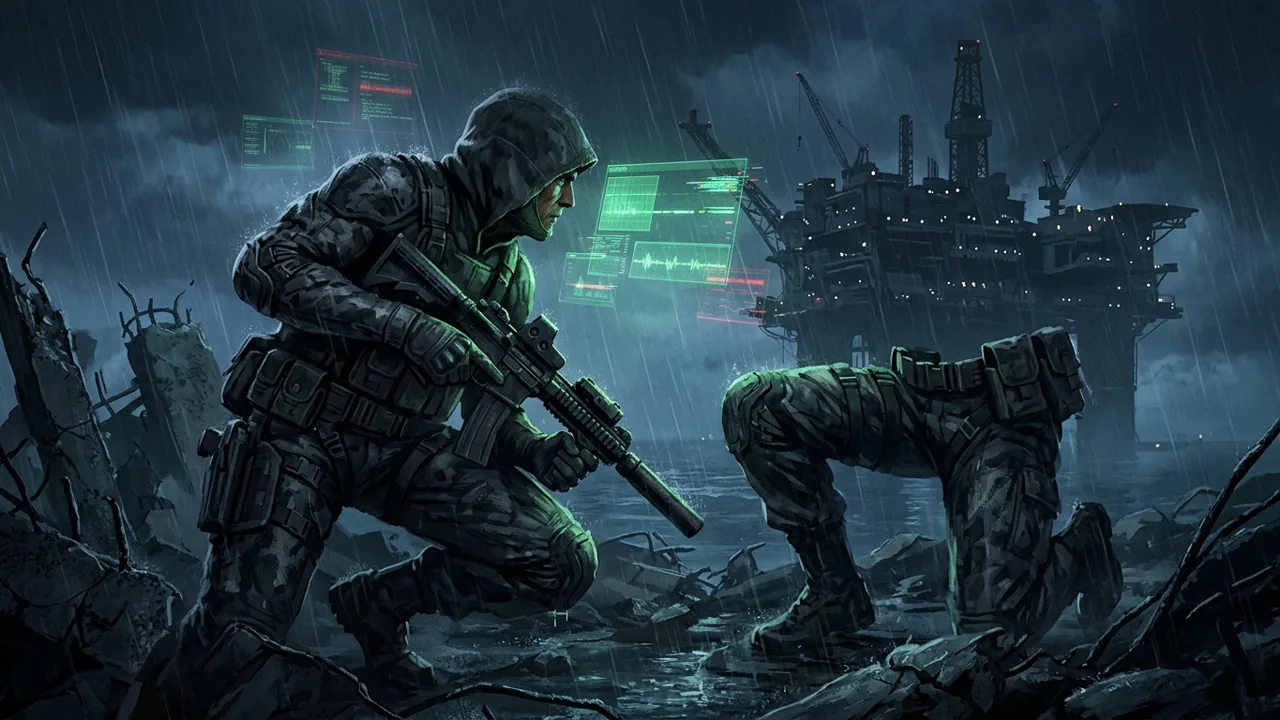
The impending launch of Metal Gear Solid: Master Collection Vol. 2 represents a massive milestone for game preservation. Bringing MGS4: Guns of the Patriots, Peace Walker, and Ghost Babel to modern hardware is an enormous technical undertaking, particularly when adapting the notoriously complex PlayStation 3 architecture of MGS4 for the PC platform.
While official reviews and early impressions are beginning to surface, community reports from early access players and leaked build discussions are already highlighting several expected technical hurdles on the PC (Steam) version. Alongside these technical reports, a wave of newcomers is discovering just how unforgiving the late-game difficulty spikes of the classic titles can be. If you are preparing to dive into the collection, here is a comprehensive breakdown of the community-reported PC bugs, expected workarounds, and a tactical guide to surviving the brutal difficulty spike of MGS4’s fifth act.
Expected PC Technical Issues and Workarounds
Based on early community chatter across Reddit and other forums, the PC version of the collection might require some minor tweaking out of the gate. Konami is expected to release a Day 1 patch, but having these workarounds in your back pocket could save your playthrough if you encounter them.
Xbox Analog Sticks Not Responding
Several users reporting early access to the Steam build have noted a frustrating issue where Xbox controllers connect, but the analog sticks fail to register movement, forcing them to rely on WASD keyboard inputs. Considering MGS4 was built around pressure-sensitive movement and complex analog controls, keyboard navigation is far from ideal.
If this bug persists into the official launch, the most likely culprit is a conflict within Steam Input. To prepare a fix, players should right-click the game in their Steam Library, navigate to Properties > Controller, and try toggling “Enable Steam Input” off and on. Additionally, check the community controller layouts; often, a misconfigured default template maps the left analog stick to an empty D-pad rather than the intended X/Y movement axes. We will update our platforms and editions page if a definitive fix is confirmed.
Act 4 Loading Screen Freeze
A significantly more severe issue currently being reported is a hard freeze at the beginning of Act 4. According to community discussions, after sitting through the extensive briefing for the Shadow Moses chapter, opting to save the game prompts an infinite loading screen.
This specific transition is incredibly heavy on the game’s engine, as it swaps out numerous assets to recreate a snow-covered nostalgic environment. If you hit this expected bug, the current community-reported workaround is to decline the save prompt immediately after the briefing. Let the game load the environment first, take a few steps into the snow field, and then manually save your progress via the pause menu. Verifying the integrity of your game files through Steam is also highly recommended if the crash occurs consistently.
Steam Overlay Aspect Ratio Flickering
Due to the original cinematic presentation of MGS4, the game natively runs with letterboxing in certain cutscenes, and depending on your monitor, you might see black bars during standard gameplay. Early reports indicate that whenever a Steam notification—such as an achievement unlock or a friend coming online—pops up in the corner, it causes the black bars to heavily flicker or glitch visually.
Until an expected hotfix addresses how the game handles desktop overlays, the easiest solution is to simply disable the Steam Overlay for this specific title. It might cost you the convenience of taking quick screenshots, but it will preserve the cinematic integrity of the experience.
Surviving the Act 5 Difficulty Spike
Technical glitches aside, the gameplay of MGS4 remains a massive talking point. One recurring theme among modern players testing the waters is the jarring difficulty spike that occurs between Act 4 and Act 5.
If you are following our MGS4 beginner guide, you know that Act 4 (Shadow Moses) is largely devoid of human enemies. The area is heavily patrolled by Dwarf Gekko (Scarabs) and standard Gekko units. Because these are machines, the tension of traditional stealth is somewhat relaxed; you don’t have to worry about guards radioing in specific coordinates or flanking you with human intelligence.
Act 5, set aboard the heavily fortified Outer Haven, abruptly throws you back into intense close-quarters combat against Haven Troopers (FROGs). These enemies are heavily armored, highly mobile, and operate in tight, claustrophobic corridors where your traditional camouflage strategies are severely limited. Here is how you can prepare for this expected difficulty wall.
Optimize Your OctoCamo and Posture
In the open battlefields of the Middle East and South America, you could easily blend into the dirt or walls from a distance. Aboard Outer Haven, the engagement distances are incredibly short. You must consciously force your OctoCamo to adapt to the metallic floor grates and bulkhead walls before moving.
Instead of walking, rely heavily on the crawling stance. Moving while flattened against the deck drastically reduces your Camo Index penalty. Remember to manually shake your controller (or press the expected assigned PC keybind) to reset your OctoCamo to a neutral state if the pattern you picked up is actively contrasting with a new environment.
Master Close Quarters Combat (CQC)
Haven Troopers wear heavy ballistic armor that makes standard assault rifle fire highly ineffective unless you are scoring consistent headshots. Instead of wasting ammunition, rely on CQC.
When you round a corner and encounter a patrol, sprinting directly into them and executing a CQC throw (tilting the analog stick and pressing the CQC button) is faster and quieter than drawing a weapon. A successful throw will momentarily stun them, allowing you to follow up with a quick tranquilizer shot or a hold-up. Do not attempt long, drawn-out chokeholds; if a FROG unit is accompanied by a squadmate, you will be shot immediately while locked in the animation.
Managing Drebin Points and Weapon Loadouts
By the time you reach Act 5, you should have accumulated a substantial amount of Drebin Points. Do not hoard them. This is the moment to invest in high-impact, non-lethal crowd control.
The V-Ring non-lethal rounds for the customized shotguns are incredibly potent in the tight hallways of the ship. A single blast can knock a heavily armored Haven Trooper off her feet, giving you ample time to sprint past the encounter entirely. Similarly, ensure your Mk.22 tranquilizer pistol is fully suppressed and stocked.
Furthermore, Chaff Grenades are your best friend here. While human enemies aren’t robots, they rely on localized communication networks. Disrupting their electronics can give you the few precious seconds needed to slip through a bulkhead door unseen.
A Drastic Shift in Mechanics
The jump in mechanical complexity when transitioning between the games in this collection is something every player should anticipate. If you spend dozens of hours managing troops in Mother Base and executing co-op extractions as detailed in our Peace Walker beginner guide, returning to the solitary, hyper-detailed survival mechanics of MGS4 can feel like hitting a brick wall.
Metal Gear Solid: Master Collection Vol. 2 is shaping up to be an incredible, if slightly unpolished, time capsule. By anticipating these early PC glitches and preparing your arsenal for the brutal late-game encounters, your mission should be a resounding success. Keep an eye on our ongoing coverage as we expect official patches to roll out in the coming days.